
It’s possible that WebGL is disabled in your browser. Here’s a quick guide to help you enable it.
H1 Chrome
Before you start: Ensure you have the latest version, as WebGL is enabled by default in recent versions.
- Open a Chrome browser window and paste this into the address bar: chrome://settings/system

- Ensure the "Use hardware acceleration when available" checkbox is checked.
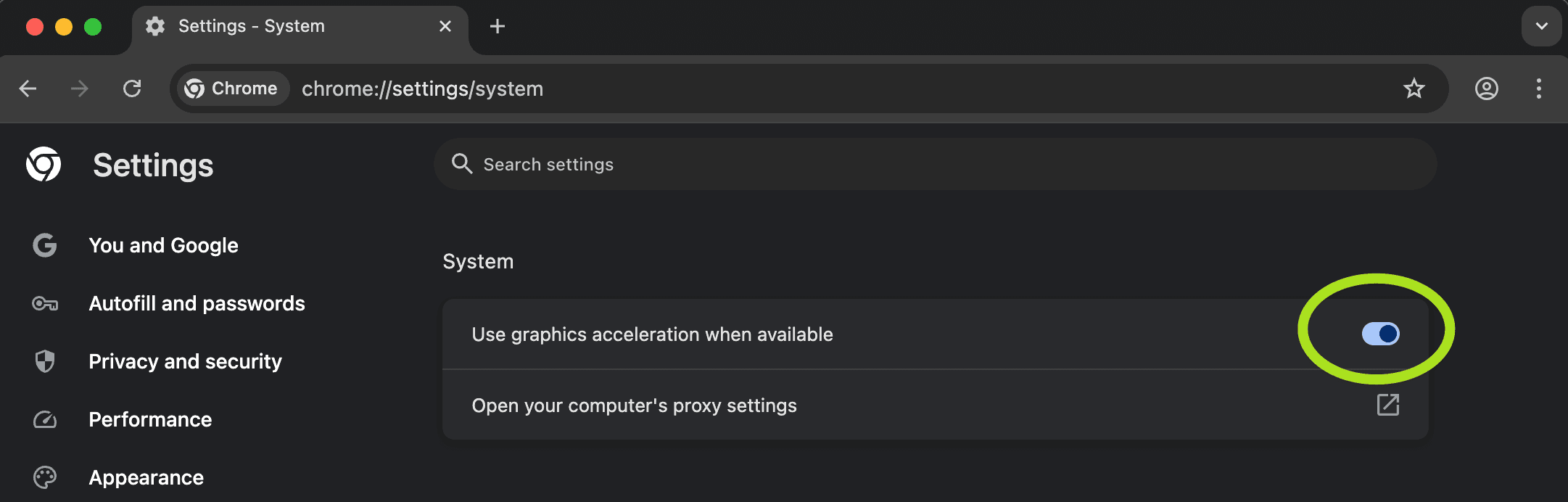
- You'll need to relaunch Chrome for any changes to take effect.
- Sign back into Pomegranate, and try your link again.
Still experiencing issues?
Reach out to our team with the following information, and we'll assist you directly.1. Paste chrome://gpu into your Chrome address bar.2. Take a screenshot of the page and share it with us.